Getting Started with teatest in TypeScript: Test Your Terminal Apps, Keys, Waits and Golden Files
A Bubble Tea program is easy to test in principle. It's a model, a function that takes a message and returns the next model, and a function that draws the model. You can call those by hand. But then you haven't tested the program: not the keys it receives from a terminal, not the window size, not what it writes, not the commands that return later.
teatest runs the real program, with no terminal. @oakoliver/teatest is the TypeScript port of Charm's library for that. A test starts a program at a size you choose, sends it keys, waits until the screen says what you expect, and then looks at the model it ended with and everything it wrote.
The program runs for real. You act on it from the outside, and you wait for what you expect to appear.

This guide assumes you've written a Bubble Tea program, or read Getting Started with Bubble Tea: what init, update, view and a command are. It writes tests for five small programs, one idea each.
I – Install
teatest has one peer dependency, Bubble Tea. It's a peer so that your program and the test library share one copy: the keys and window sizes that teatest sends are instances of the same classes your program checks for.
mkdir teatest-demo && cd teatest-demo
npm init -y
npm pkg set type=module
npm install @oakoliver/bubbletea @oakoliver/bubbles
npm install --save-dev @oakoliver/teatest
With Bun: bun add @oakoliver/bubbletea @oakoliver/bubbles && bun add -d @oakoliver/teatest. @oakoliver/bubbles is only for the text input in section V.
The examples use bun test, which needs nothing else. Section IX has the same test for Vitest and node:test.
II – How a Test Works
NewTestModel(model) starts the program. Its input is a stream that nobody types into, its output is a buffer, signal handling is off, and its window is 80 columns by 24 rows. It returns a TestModel with a few methods:
tm.press("up", "enter")andtm.type("hello")send keys.tm.send(msg)sends any message.tm.output()is what the program has written.WaitFor(tm.output(), condition)reads it untilconditionreturns true.await tm.finalModel()andawait tm.finalOutput()wait for the program to end, and return its last model and what it still had to write.
Every wait returns a promise. A test fails by throwing, so it fails in any runner.
III – The Program Under Test
A counter, in a file of its own so that the test can import it:
// counter.ts
import { type Cmd, type Model, type Msg, KeyPressMsg, NewView, Quit, type View } from '@oakoliver/bubbletea';

export class Counter implements Model {
  constructor(readonly count = 0) {}

  init(): Cmd {
    return null;
  }

  update(msg: Msg): [Model, Cmd] {
    if (msg instanceof KeyPressMsg) {
      switch (msg.toString()) {
        case 'up':
          return [new Counter(this.count + 1), null];
        case 'down':
          return [new Counter(this.count - 1), null];
        case 'q':
          return [this, Quit];
      }
    }
    return [this, null];
  }

  view(): View {
    return NewView(`Count: ${this.count}\n\nup/down to change, q to quit\n`);
  }
}
Nothing in it knows about tests. A program you've already written works the same, as long as the file doesn't start itself when imported. If yours calls run() at the top level, put that behind if (import.meta.main) in Bun, or in a function.
IV – Your First Test
// counter.test.ts
import { expect, test } from 'bun:test';
import { NewTestModel, WaitFor, WithInitialTermSize } from '@oakoliver/teatest';
import { Counter } from './counter';

test('the counter counts with the arrow keys', async () => {
  const tm = NewTestModel(new Counter(), WithInitialTermSize(40, 6));

  // Wait for the first frame, then act.
  await WaitFor(tm.output(), (out) => out.includes('Count: 0'));
  tm.press('up', 'up', 'up');
  await WaitFor(tm.output(), (out) => out.includes('Count: 3'));
  tm.press('down');
  tm.press('q');

  // finalModel() waits for the program to finish and returns its last model.
  const final = await tm.finalModel<Counter>();
  expect(final.count).toBe(2);
});
$ bun test
bun test v1.4.4-canary.1 (5c6d4e24c)

 1 pass
 0 fail
 1 expect() calls
Ran 1 test across 1 file. [117.00ms]
Three things to see.
Wait for the screen, then act. WaitFor reads the output again and again until the condition is true, checking every 50 ms for up to a second. Both can be changed: WithDuration(5000) and WithCheckInterval(10), in milliseconds. A test that sleeps for a fixed time is slow when it should be fast and wrong when the machine is busy; one that waits for the text is neither.
The condition gets a Buffer of everything read so far, not the last chunk, so out.includes(...) works however the program's output was split.
press takes the names that a key prints as. "up", "enter", "esc", "tab", "shift+tab", "ctrl+c", "alt+up", "f5", "pgdown", "a". Each name becomes the bytes a terminal sends for that key, and Bubble Tea's own input parser turns them into the KeyPressMsg your update receives. A name it doesn't know, like "banana", throws, instead of being a key that silently does nothing.
V – Typing Text into a Component
type("text") sends one key press per character. Here it fills a Bubbles text input:
// greeter.ts
import { type Cmd, type Model, type Msg, KeyPressMsg, NewView, Quit, type View } from '@oakoliver/bubbletea';
import { type TextInputModel, newTextInput, textInputDefaultDarkStyles } from '@oakoliver/bubbles';

export class Greeter implements Model {
  readonly input: TextInputModel = newTextInput();
  name = '';

  constructor() {
    this.input.prompt = 'Name: ';
    // A blinking cursor redraws the screen on a timer. Keep it out of the test.
    const styles = textInputDefaultDarkStyles();
    styles.cursor = { ...styles.cursor, blink: false };
    this.input.setStyles(styles);
  }

  init(): Cmd {
    return this.input.focus();
  }

  update(msg: Msg): [Model, Cmd] {
    if (msg instanceof KeyPressMsg && msg.toString() === 'enter') {
      this.name = this.input.value();
      return [this, Quit];
    }
    const [, cmd] = this.input.update(msg);
    return [this, cmd];
  }

  view(): View {
    return NewView(this.name ? `Hello, ${this.name}!\n` : `${this.input.view()}\n\nenter to greet\n`);
  }
}
// greeter.test.ts
import { expect, test } from 'bun:test';
import { NewTestModel, WaitFor } from '@oakoliver/teatest';
import { Greeter } from './greeter';

test('typing a name and pressing enter greets it', async () => {
  const tm = NewTestModel(new Greeter());
  await WaitFor(tm.output(), (out) => out.includes('Name:'));

  tm.type('Grace Hopper');
  tm.press('enter');

  const out = await tm.finalOutput();
  expect(out.all().toString()).toContain('Hello, Grace Hopper!');
  expect((await tm.finalModel<Greeter>()).name).toBe('Grace Hopper');
});
The comment about the cursor is the one thing to take away. Anything that redraws on a timer, such as a blinking cursor or a spinner, makes the output depend on how long the test took. Turn the blink off, or don't compare the whole output of a program that animates; section VII shows the other way out.
tm.output().all() is everything the program has written. Its read() is only what was written since the last time anything read it, which is the subject of the next section.
VI – Golden Files
Checking one string on the screen is fine for one string. To check everything the program wrote, put it in a golden file:
import { NewTestModel, RequireEqualOutput, WithInitialTermSize } from '@oakoliver/teatest';

test('the whole output is a golden file', async () => {
  const tm = NewTestModel(new Counter(), WithInitialTermSize(40, 6));
  tm.press('up', 'q');

  const out = await tm.finalOutput();
  RequireEqualOutput(out.read(), 'counter-after-one-up');
});
The first run fails, on purpose, and says what to do:
error: golden file testdata/counter-after-one-up.golden does not exist. Run the tests with UPDATE_GOLDEN=1 to create it from this output.
UPDATE_GOLDEN=1 bun test
That writes testdata/counter-after-one-up.golden, next to the test file, from the output of the run. After that, plain bun test compares. Open the file before you commit it. This is what it holds (cat -v shows the escape byte as ^[):
^[[?2004h^[[?1002l^[[?1003l^[[?1006l^[[>4;2m^[[>1u^[[2KCount: 1^M
^[[2K^M
^[[2Kup/down to change, q to quit^M
^[[2K^[[?25l^[[>4m^[[<1u^[[?2004l^[[?25h^M
It's the raw bytes: turn on bracketed paste, draw the line Count: 1, erase and draw the rest, show the cursor again and turn the modes off. It looks noisy and that's the point, because a bug in a style or a cursor move is a bug a golden file can catch.
The second argument is the file's name, testdata/<name>.golden. A / in it makes a directory, so 'kanban/first-screen' is testdata/kanban/first-screen.golden.
Two rules for golden files.
Reading consumes. WaitFor and read() take what they read out of the output. If you WaitFor something and then compare finalOutput().read(), the golden file holds what came after the wait. That's how Go's teatest behaves too, and it's useful, because the file then holds the end of the program's output and not every frame on the way. When you want all of it, use all().
Only compare what is stable. A program that animates writes a different number of frames depending on the machine. Compare its final screen, or wait for what matters and look at the model.
When a golden file doesn't match
Change the program (here the heading Count: becomes Total:) and run again:
GoldenMismatchError: output does not match testdata/counter-after-one-up.golden
golden 4 lines, this run 4: 1 removed, 1 added. Escape sequences are written as text (\x1b is the ESC byte).
If the new output is right, accept it with UPDATE_GOLDEN=1.

@@ -1,2 +1,2 @@
-    1 │   Count: 1
         ? ^^^^^
       raw \x1b[?2004h\x1b[?1002l\x1b[?1003l\x1b[?1006l\x1b[>4;2m\x1b[>1u\x1b[2KCount: 1\r
         ?                                                                      ^^^^^
+    1 │   Total: 1
         ? ^^^^^
       raw \x1b[?2004h\x1b[?1002l\x1b[?1003l\x1b[?1006l\x1b[>4;2m\x1b[>1u\x1b[2KTotal: 1\r
         ?                                                                      ^^^^^
     2 │
For every changed line there are two views. The first is the text as it looks on screen, with the words that differ marked (? lines with carets here; in a terminal with colour, reverse video in red and green). The second is the raw line, with its escape sequences written as text, cut to the neighbourhood of the change when it is long. If only an escape sequence changed, a colour for instance, it says "same text, different escape sequences" and shows the raw lines. The picture at the top of the page is a bigger case: a column of a kanban board was renamed.
If the new output is the right one, accept it:

Golden files are code. Review their diff in the pull request as you would a snapshot.
VII – When a Wait Fails, and Taking Time Out of a Test
If WaitFor times out, the error shows what the program had written, as text:
WaitForTimeoutError: WaitFor: condition not met after 1s. Last output (112 bytes, escape sequences removed):
Total: 0

up/down to change, q to quit
It shows the last 30 lines, with escape sequences removed and long lines cut, because a screenful of styled output is mostly escape sequences. The raw bytes are on the error as output. And the stack starts at the line of your test that waited, so the runner shows that line.
A program that runs on a clock
A countdown, one tick a second:
// countdown.ts
import { type Cmd, type Model, type Msg, NewView, Quit, Tick, type View } from '@oakoliver/bubbletea';

export class TickMsg {
  readonly _tag = 'tick' as const;
}
const tick: Cmd = Tick(1000, () => new TickMsg());

export class Countdown implements Model {
  constructor(readonly left: number) {}

  init(): Cmd {
    return tick;
  }

  update(msg: Msg): [Model, Cmd] {
    if (msg instanceof TickMsg) {
      const next = new Countdown(this.left - 1);
      return next.left === 0 ? [next, Quit] : [next, tick];
    }
    return [this, null];
  }

  view(): View {
    return NewView(this.left === 0 ? 'Liftoff!\n' : `T-minus ${this.left}\n`);
  }
}
The obvious test waits three seconds. The other one doesn't:
// countdown.test.ts
import { expect, test } from 'bun:test';
import { WithFilter } from '@oakoliver/bubbletea';
import { NewTestModel, WithProgramOptions } from '@oakoliver/teatest';
import { Countdown, TickMsg } from './countdown';

test('real time: three ticks take three seconds', async () => {
  const tm = NewTestModel(new Countdown(3));
  const final = await tm.finalModel<Countdown>();
  expect(final.left).toBe(0);
});

class TestTick extends TickMsg {}

test('virtual time: the test sends the ticks', async () => {
  // Drop the program's own timer messages; only the ones sent by the test get through.
  const onlyOurTicks = WithProgramOptions(
    WithFilter((_model, msg) => (msg instanceof TickMsg && !(msg instanceof TestTick) ? null : msg)),
  );
  const tm = NewTestModel(new Countdown(3), onlyOurTicks);

  tm.send(new TestTick());
  tm.send(new TestTick());
  tm.send(new TestTick());

  const final = await tm.finalModel<Countdown>();
  expect(final.left).toBe(0);
});
WithProgramOptions hands any Bubble Tea program option to the program. WithFilter sees every message before the model does, and returns null to drop it. The filter drops the ticks the program's own timer produces, and lets through the ones the test sends. Measured with --reporter=junit, three runs:
| Test | Time |
|---|---|
| Real ticks | 3.009 s, 3.009 s, 3.009 s |
| Ticks sent by the test | 0.4 ms, 0.3 ms, 0.3 ms |
The same idea works for a game that runs on a frame clock: send the frames, each with a time you choose, and the game's clock is yours. The repository's examples/blocks.test.ts does that for a falling-blocks game, and examples/kanban.test.ts uses the filter to drop a board's flash and toast timers.
VIII – Window Size
Programs draw for the window they are told about. WithInitialTermSize(w, h) sets it, 80 by 24 by default, and tm.resize(w, h) sends a resize:
// size.test.ts
import { expect, test } from 'bun:test';
import { NewView, WindowSizeMsg, type Cmd, type Model, type Msg, type View } from '@oakoliver/bubbletea';
import { NewTestModel, WaitFor, WithInitialTermSize } from '@oakoliver/teatest';

class Ruler implements Model {
  width = 0;
  height = 0;
  init(): Cmd {
    return null;
  }
  update(msg: Msg): [Model, Cmd] {
    if (msg instanceof WindowSizeMsg) {
      this.width = msg.width;
      this.height = msg.height;
    }
    return [this, null];
  }
  view(): View {
    return NewView(`${this.width} x ${this.height}\n`);
  }
}

test('the program starts at the size you give it, and follows a resize', async () => {
  const tm = NewTestModel(new Ruler(), WithInitialTermSize(100, 30));
  await WaitFor(tm.output(), (out) => out.includes('100 x 30'));

  tm.resize(40, 10);
  await WaitFor(tm.output(), (out) => out.includes('40 x 10'));
  tm.quit();

  const final = await tm.finalModel<Ruler>();
  expect([final.width, final.height]).toEqual([40, 10]);
});
tm.quit() is for programs that don't quit themselves; press('q') does the same for one that does.
IX – Vitest and node:test
Nothing above depends on Bun, except the import of bun:test and one thing: the name of a golden file. bun test can't tell a library which test is running, so you gave a name. Vitest and node:test can.
// vitest/counter.test.ts
import { expect, test } from 'vitest';
import { NewTestModel, RequireEqualOutput, WaitFor } from '@oakoliver/teatest';
import { Counter } from '../counter';

test('counts with the arrow keys', async (ctx) => {
  const tm = NewTestModel(new Counter());
  await WaitFor(tm.output(), (out) => out.includes('Count: 0'));
  tm.press('up', 'up', 'q');

  expect((await tm.finalModel<Counter>()).count).toBe(2);
  // Pass the test context and the golden file is named after the test.
  RequireEqualOutput((await tm.finalOutput()).read(), ctx);
});
That writes vitest/testdata/counts_with_the_arrow_keys.golden. With vitest --globals you can leave out ctx and the name comes from the running test, with the suite as a directory.
// node/counter.test.mjs
import assert from 'node:assert/strict';
import test from 'node:test';
import { NewView, Quit } from '@oakoliver/bubbletea';
import { NewTestModel, RequireEqualOutput, WaitFor } from '@oakoliver/teatest';

class Counter {
  count = 0;
  init() {
    return null;
  }
  update(msg) {
    if (msg._tag === 'KeyPressMsg') {
      if (String(msg) === 'q') return [this, Quit];
      if (String(msg) === 'up') this.count++;
    }
    return [this, null];
  }
  view() {
    return NewView(`Count: ${this.count}\n`);
  }
}

test('counts with the arrow keys', async (t) => {
  const tm = NewTestModel(new Counter());
  await WaitFor(tm.output(), (out) => out.includes('Count: 0'));
  tm.press('up', 'up', 'q');

  assert.equal((await tm.finalModel()).count, 2);
  // Pass the node:test context and the golden file is named after the test.
  RequireEqualOutput((await tm.finalOutput()).read(), t);
});
Run it with node --test node/counter.test.mjs. Both runners update with the same UPDATE_GOLDEN=1. In all three, WithInitialTermSize, press and the rest are the same.
X – Requirements
These programs were run with:
- Bun 1.4.4 (canary)
- Node.js 26.8.1, for
node --test, and Vitest 3.2.7 @oakoliver/bubbletea1.2.1 and@oakoliver/bubbles1.2.2
Jest has expect.getState() as Vitest does, so the name should work there too, but I didn't run it. The tests install from the package tarball, not from source: the files above are the ones that ran.
One gap to know about. press("alt+x") sends the right bytes, but KeyPressMsg.toString() of the message that @oakoliver/bubbletea 1.2.1 builds for them is "x" and not "alt+x", so a key binding that matches on alt+x won't see it in a test or in a terminal. The code and the modifier on the message are right.
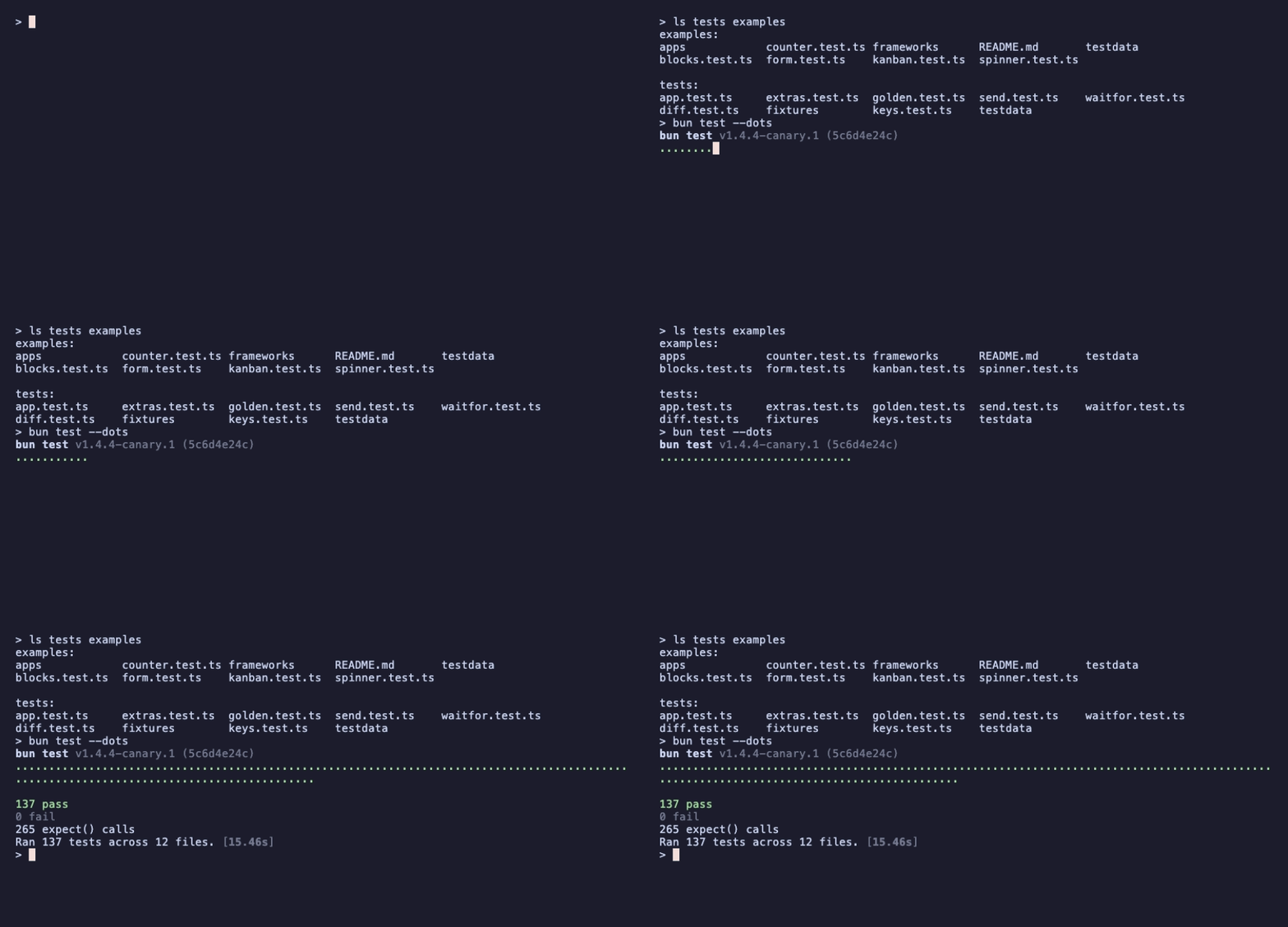
The repository's own suite is the biggest example: 137 tests, including full test suites for two real programs, a kanban board and a falling-blocks game.
XI – Where to Go Next
- The repository: the README has the API table next to Go's, how golden file names are found, and the list of differences from Charm's teatest.
- The
examples/folder has the suites for the kanban board and the blocks game, and the same counter fornode:testand Vitest. - Getting Started with Bubble Tea: the framework the programs are written in.
- Getting Started with Bubbles: the components, if you skipped the text input above.
- Porting Go's teatest to TypeScript: how it was ported, and how it was checked against real Go.
- Package: @oakoliver/teatest on npm, source at github.com/oakoliver/teatest.